1.2 Text, sound and images
Computers ultimately store and process binary. This topic explains how characters are given binary codes, how continuously varying sound is sampled into digital values, and how bitmap images are built from pixels, colour depth and resolution.
What you need to understand
By the end of Topic 1.2 you should be able to explain why computers encode text using character sets, compare ASCII, Extended ASCII and Unicode, describe how analogue sound becomes digital through sampling, explain sampling rate and sampling resolution, and explain how bitmap images use pixels, colour depth and image resolution. You should also be able to describe the quality-versus-file-size trade-offs created by increasing sampling settings or image detail.
Character sets – ASCII code and Unicode
A computer cannot store a letter such as A, a digit such as 7, or a symbol such as ? directly as a shape. A character set gives each character a numeric code. That number can then be represented in binary and stored or processed by the computer.
Standard ASCII
ASCII stands for American Standard Code for Information Interchange. Standard ASCII uses 7-bit codes, giving code values from 0 to 127. It represents the letters, digits, punctuation and symbols found on a standard English-language keyboard, together with control codes.
- Codes 0–31 are used for control functions.
- Printable characters occupy the remaining standard codes.
- Because the codes are numeric, they can also be written in denary, binary or hexadecimal.
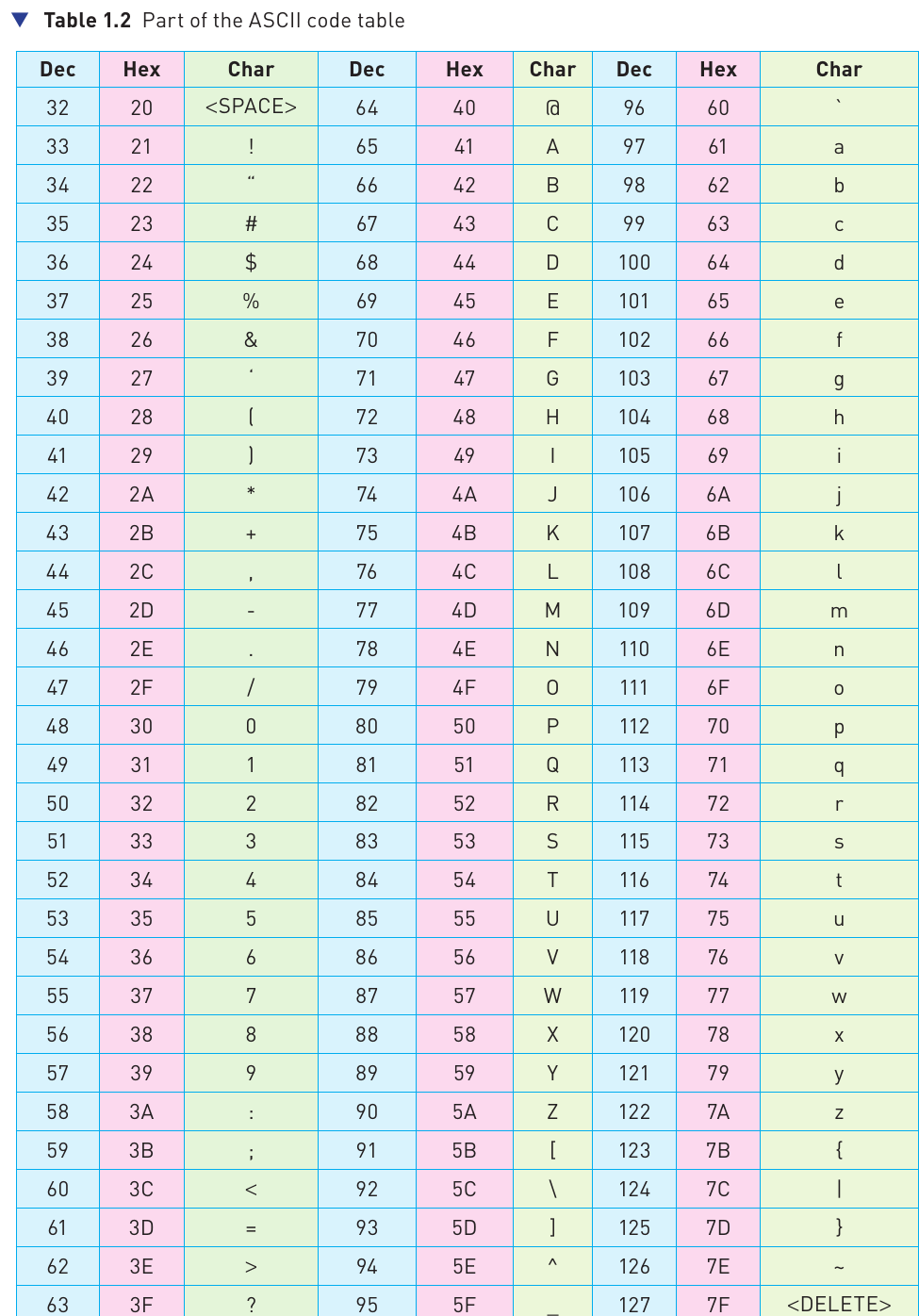
The codes for related characters are arranged in useful sequences. Digits 0–9 are consecutive, uppercase letters A–Z are consecutive, and lowercase letters a–z are consecutive. In the examples used in the course book, changing between corresponding uppercase and lowercase letters changes one bit position, which makes case conversion efficient.
Example: ASCII code relationships
Uppercase A has denary code 65 and hexadecimal code 41. Lowercase a has denary code 97 and hexadecimal code 61. The characters are different, so their stored binary codes are different even though they represent the same alphabetic letter in different cases.
Extended ASCII
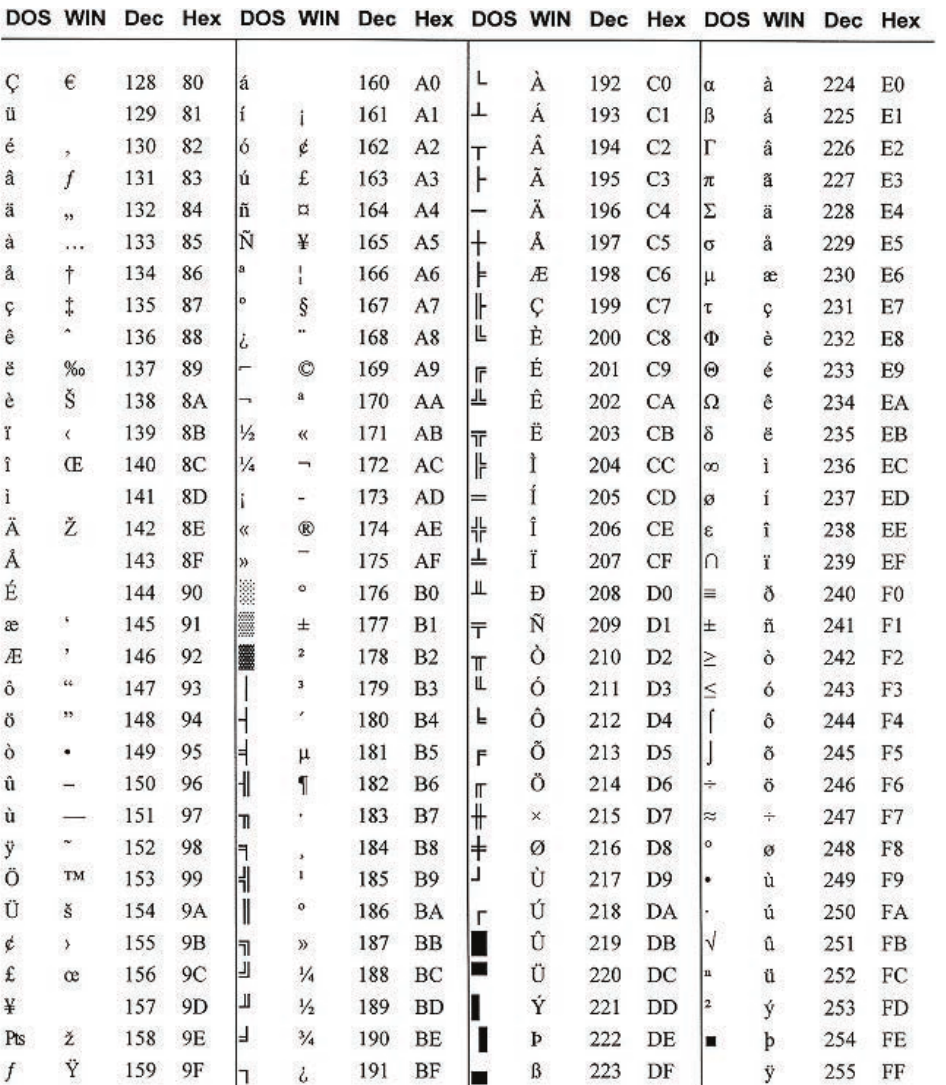
Extended ASCII uses 8 bits, so it can use values from 0 to 255. The extra 128 possible codes can be used for additional characters, including characters from some non-English alphabets and graphical symbols.
Unicode
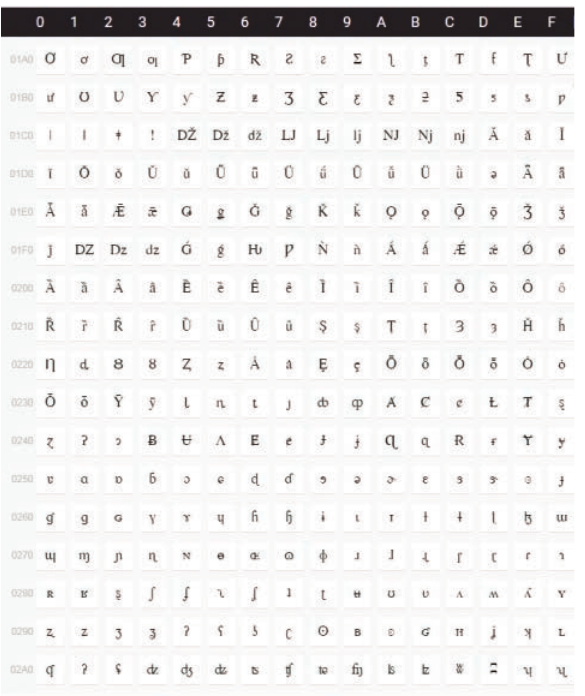
Unicode was developed to provide a much wider, universal character system. It can represent characters used across many languages and writing systems, making it suitable for global operating systems, browsers, search engines and software.
- The first 128 characters overlap with standard ASCII, preserving compatibility for those characters.
- Unicode supports far more characters than ASCII.
- The course book describes Unicode as supporting encodings that can use up to four bytes per character.
The Unicode project was intended to create a universal standard, improve efficiency compared with older fragmented character systems, make encodings uniform and unambiguous, and reserve space for private-use characters and symbols.
Representation of sound
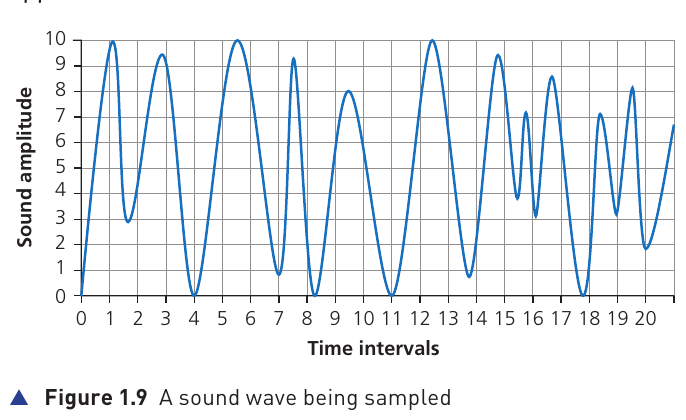
Sound begins as vibrations travelling through the air. A sound wave varies continuously, so it is analogue. A computer stores discrete binary values, so the analogue wave must be converted into digital data before it can be stored or processed.
Frequency, wavelength and amplitude
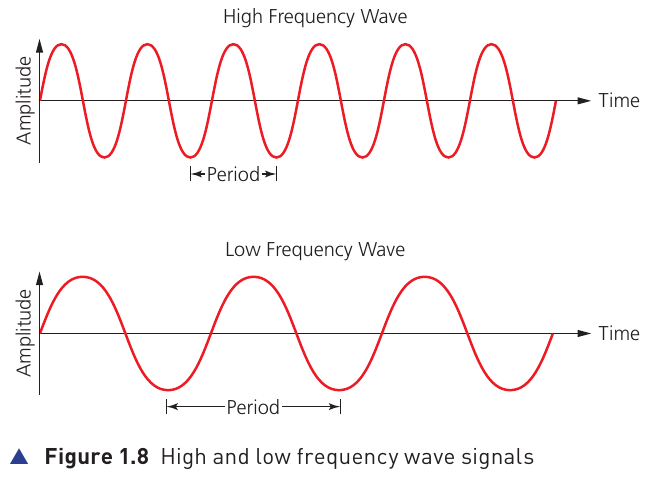
- Amplitude describes the size of the wave and is associated with how loud the sound is.
- Frequency describes how many wave cycles occur in a given time. A higher-frequency wave has more cycles in the same time.
- Wavelength is the distance covered by one complete wave cycle.
From analogue sound to digital data
An analogue-to-digital converter (ADC) measures the sound wave at regular time intervals. Each measurement records an approximate amplitude value. The sequence of measurements can then be encoded as binary numbers.
- Measure the wave amplitude at regular intervals.
- Round each measurement to one of the available amplitude levels.
- Encode each sampled value as a binary number.
- Store the resulting sequence of binary values.
Sampling resolution (bit depth)
Sampling resolution, also called bit depth, is the number of bits used to store each sample. More bits create more possible amplitude levels, allowing each measurement to be represented more precisely.
4-bit resolution → 2⁴ = 16 possible levels
8-bit resolution → 2⁸ = 256 possible levels
16-bit resolution → 2¹⁶ = 65,536 possible levels
Sampling rate
Sampling rate is the number of samples taken each second. It is measured in hertz (Hz). For example, 44.1 kHz means 44,100 samples are taken every second.
Increase sampling rate
More measurements are taken each second, so the digital data follows the original wave more closely. The file becomes larger.
Increase sampling resolution
Each sample can use more amplitude levels, reducing rounding error and improving the fidelity of each measurement. The file becomes larger.
Quality and file-size trade-off
| Higher sampling resolution can provide | But it also causes |
|---|---|
| Larger dynamic range | Larger file size |
| Better sound quality | Longer transmission/download time |
| Less sound distortion | Greater processing requirements |
The course-book example notes that audio CDs use a 16-bit sampling resolution and a 44.1 kHz sampling rate, illustrating how a high sample rate and bit depth can produce high-quality sound.
Representation of bitmap images
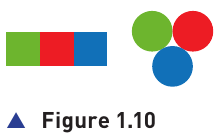
A bitmap image is made from a two-dimensional grid of pixels (picture elements). Each pixel has a stored binary value that identifies its colour. Put all the pixel values together and the computer can reconstruct the image.
Colour depth
Colour depth is the number of bits used to store the colour of each pixel. If each pixel has more bits, it can represent a larger number of possible colours.
| Colour depth | Possible colours per pixel | Example binary values |
|---|---|---|
| 1 bit | 2 | 0, 1 |
| 2 bits | 4 | 00, 01, 10, 11 |
| 3 bits | 8 | 000 to 111 |
| 8 bits | 256 | 2⁸ possible values |
| 24 bits | 16,777,216 | 2²⁴ possible values |
A greater colour depth allows finer colour variation, but more bits must be stored for every pixel, so the image file becomes larger.
Image resolution
Image resolution is the number of pixels that make up the image. It is commonly described using the width × height in pixels. For example, an image of 4096 × 3072 pixels contains:
Example
4096 × 3072 = 12,582,912 pixels
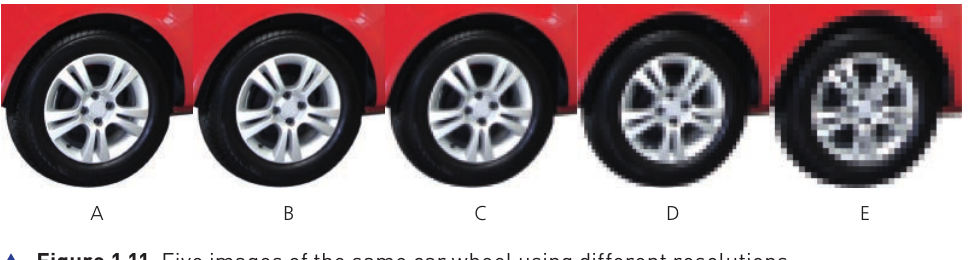
More pixels allow finer detail to be represented. Fewer pixels give the computer less information from which to reconstruct the picture.
Higher resolution
More pixels, more visible detail and less obvious pixelation, but a larger file that needs more storage and takes longer to transfer.
Lower resolution
Fewer pixels and a smaller file, but detail is reduced. If resolution becomes too low, individual pixels become obvious and the image looks blocky or fuzzy.